Datto Networking App: Switches
This article describes what information is available about Switches within the Datto Networking App.
Environment 
- Datto Networking App
- Datto Managed Switches
Description
The Datto Networking App shows you the status of switches in your network from your mobile device. You can also perform tasks such as replacing or renaming a switch.
Navigating to your switch 
In the Networks page, scroll down to the network that houses your router and tap Routers, then press the name of the switch you'd like to view.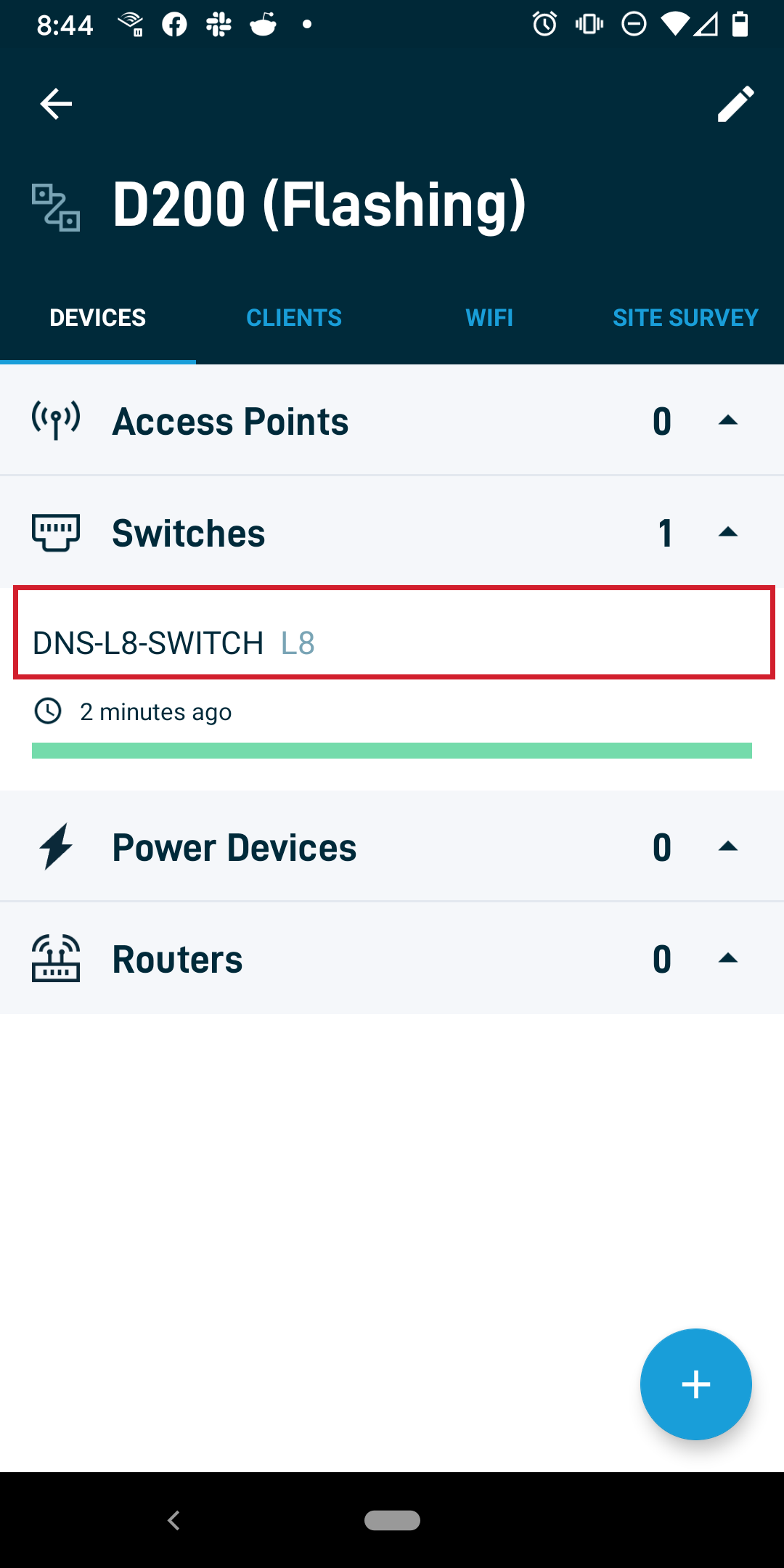
Viewing your switch
The following information and actions are available for your switch: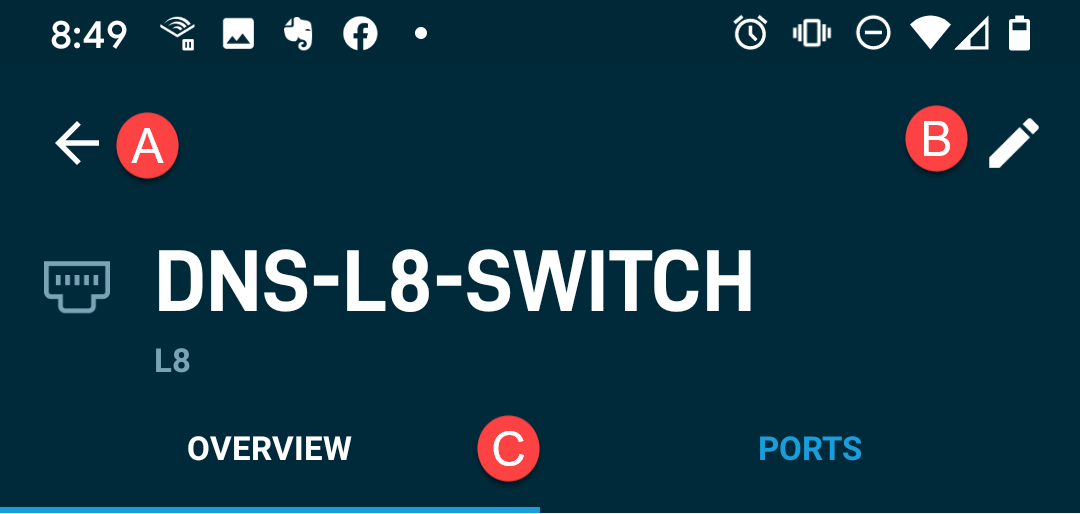
-
Press the back arrow icon to return to the previous page.
-
Press this pencil icon will display a prompt to edit the name of your switch.
-
These icons switch between the following views:
- Overview: Shows you general information about the switch
- Ports: Displays information about the individual ports on the switch
Overview options
 Health
The Health section lets you see:
- Last Check-in: The last time your device checked in with Datto Networking's monitoring servers
- Check-in History: The status of all device check-ins over the past 24 hours
- Uptime: The length of time the device has been powered on
Statistics
The Statistics section shows you:
- Power (Available/Total): Shows you the amount of PoE power available compared to the total PoE budget for the switch
- Usage (Last 24 Hours): Displays the bandwidth usage for uploads and downloads through the switch
- Traffic: Shows a graphical representation of traffic activity for the last 24 hours
- Ports (Active/Total): Shows the number of active ports against the total number of ports on the switch
System
The System section displays:
- Network: Shows the name of the network on which the switch resides. Click the Move link to move the switch to another network.
- MAC Address: Displays the switch's MAC address. Click Replace to replace the switch with the MAC address of a new switch.
- LAN IP address: Shows the Switch's IP address on your local network
- Gateway IP address: Displays the gateway IP address for the switch
- Firmware version: Shows the current firmware version the switch is running
Ports
The Ports tab shows a list containing:
- Each port number
- The port's status (active or inactive)
- Whether PoE is enabled on the port


